![Logo Fancy shading@2x.png]](https://creator.myminifactory.com/hs-fs/hubfs/Logo%20Fancy%20shading@2x.png?height=40&name=Logo%20Fancy%20shading@2x.png)
In the Creator Hub you can easily find and navigate between all of your Creator tools and features, broken down into Content Management, Marketing, Business Management and Settings. You can also use this space to customize your profile dropdown menu.
Enjoy all your features, centralized, so you can spend less time trying to find new tools and more time creating.
NOTE: With the introduction of the Creator Hub, your profile dropdown menu has been updated and is now customizable. Please read the Customize Your Profile Dropdown section below to set-up quick access to your most used features.
Explore Your Creator Hub Here >
Customize Your Profile Dropdown
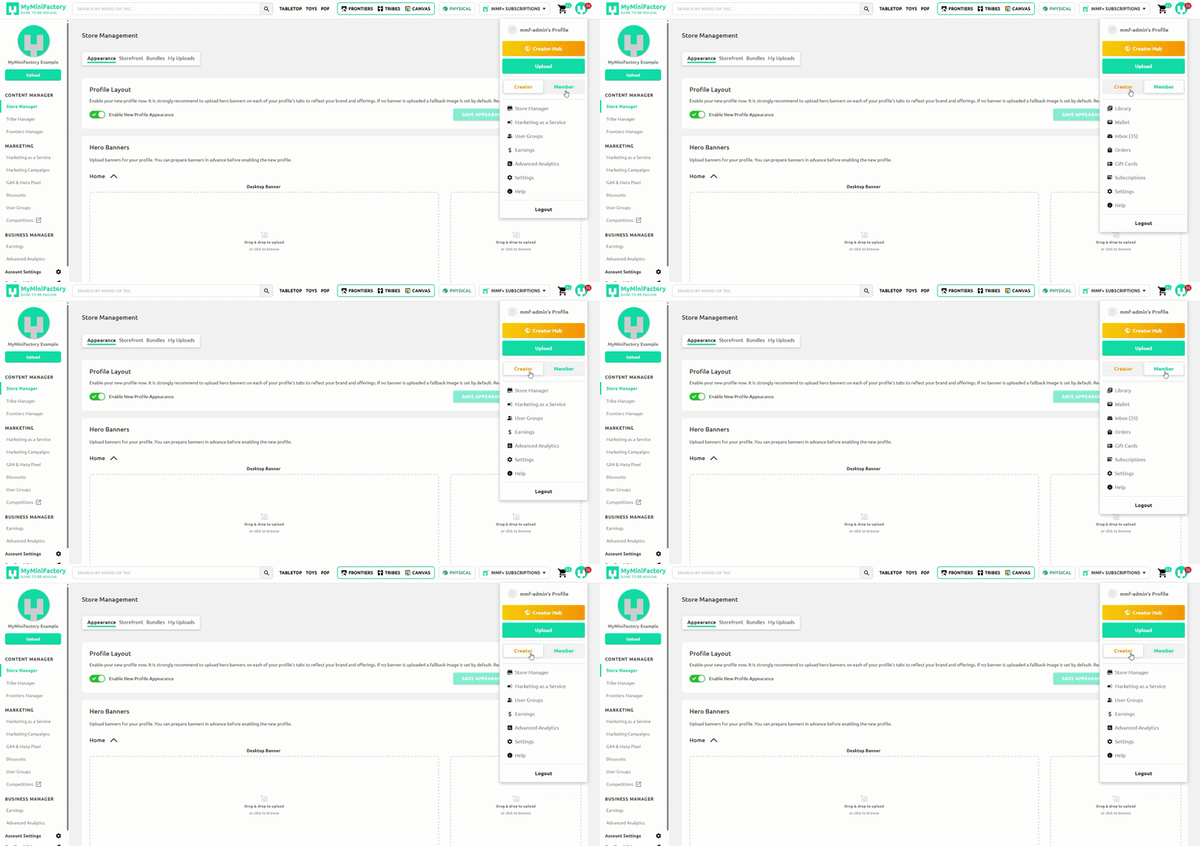
To navigate to your Creator Hub open your Profile Dropdown Menu and click the Creator Hub button. You will notice this menu contains a toggle and several list items.
You can switch the list items using the toggle in the profile dropdown. Creator will display your Creator quick links, which you can set using the Creator Hub, and Member will display a standard, non-Creator MyMiniFactory Member view.
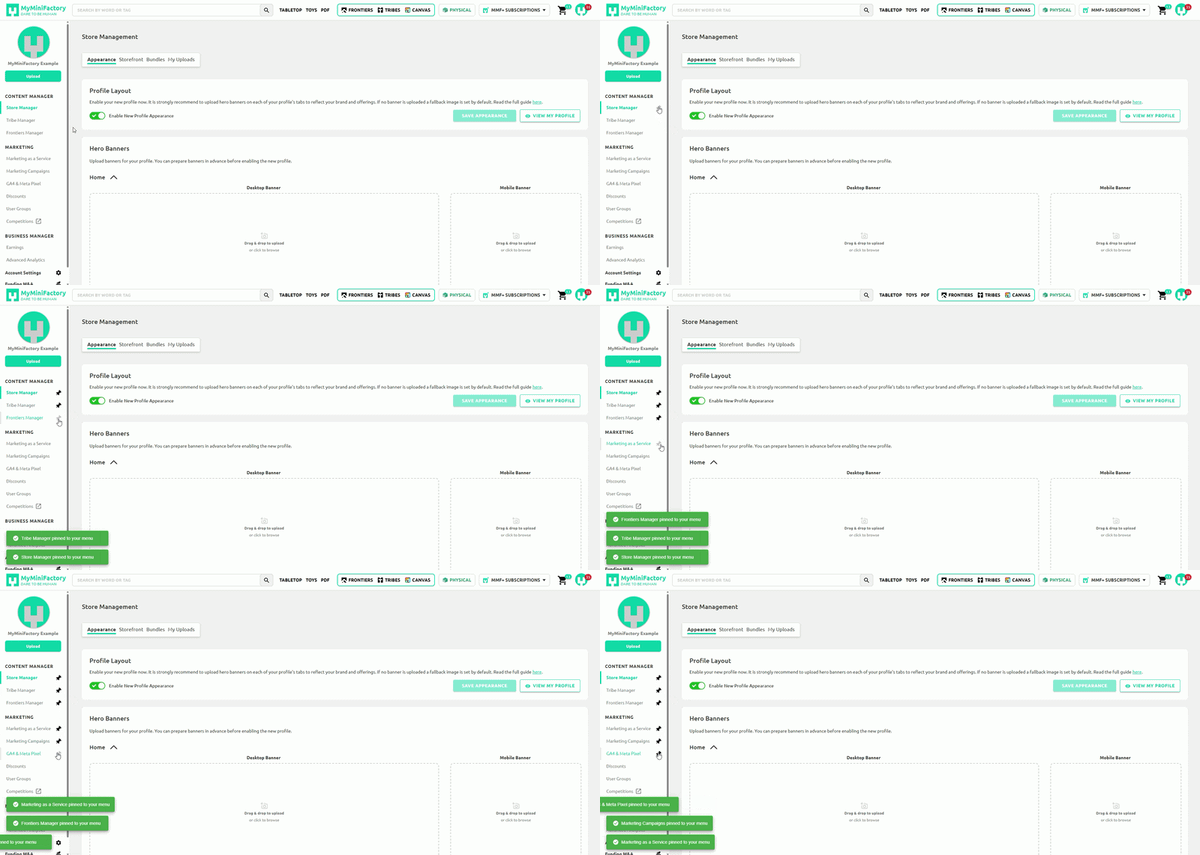
In the Creator Hub you will find pin icons next to each tab. Click the icon to add a tab to your profile dropdown menu, and click again to remove it. You can pin up to 8 tabs.
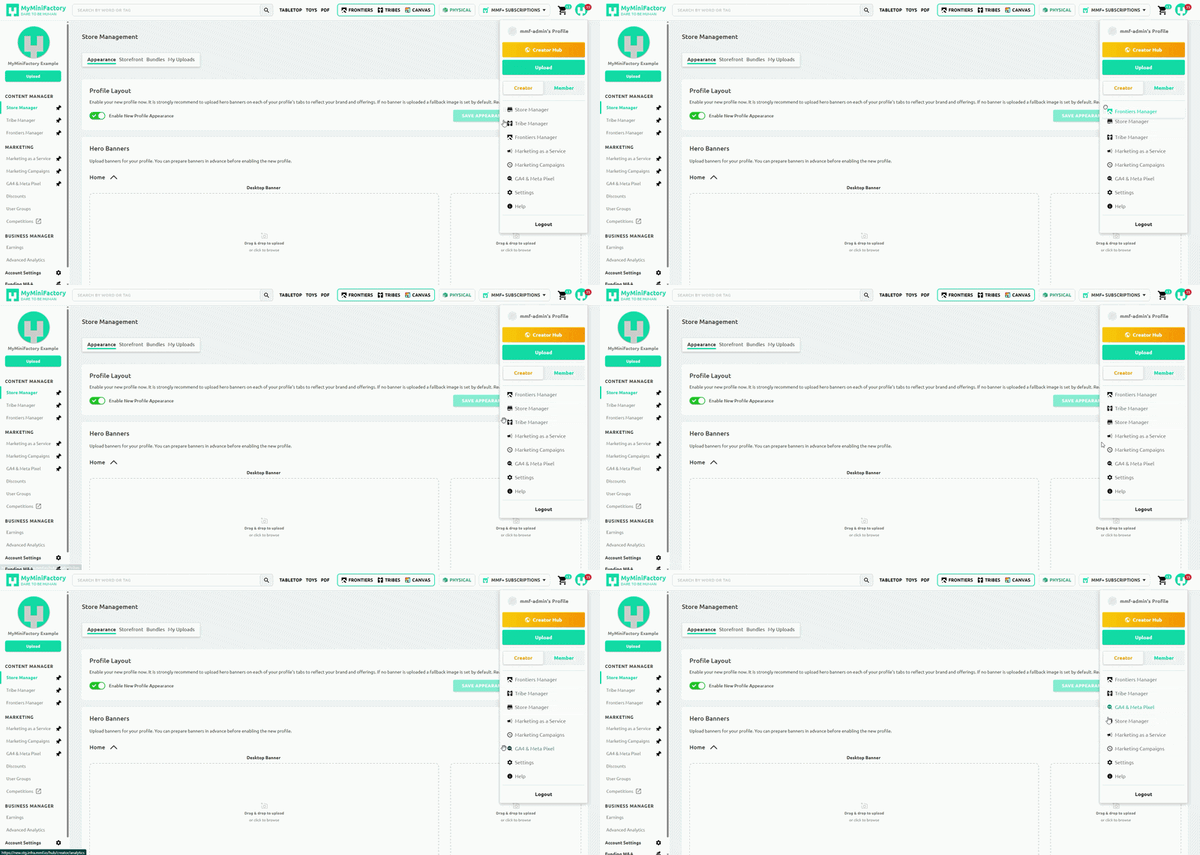
You can also drag and drop to reorder the items in the menu.
Access All Creator Features
The Store Manager Contains everything you need to run and grow your business on MyMiniFactory, broken down into 3 key sections.
You may find some tabs in the Creator Hub are locked depending on your MyMiniFactory plan. If you are interested in unlocking more tools and features and would like to explore upgrading your plan, you can learn more about the benefits and upgrades here >